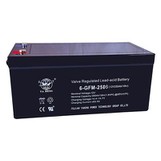
Hey there! As a supplier of On - line UPS, I'm super stoked to chat with you about the data logging features of these nifty devices. On - line UPS, you can learn more about them here, are essential for providing continuous power to critical equipment, and their data logging capabilities are a game - changer.
Let's start with the basics. Data logging in an On - line UPS is all about keeping track of various parameters and events over time. This information is crucial for several reasons. Firstly, it helps in monitoring the health and performance of the UPS itself. Just like you'd go to the doctor for a check - up, the UPS's data logs give us insights into how well it's functioning.
One of the most common data points that an On - line UPS logs is the input voltage. Fluctuations in the input voltage can have a significant impact on the UPS and the connected equipment. By logging the input voltage, we can detect if there are any recurring issues with the power supply. For example, if the input voltage is consistently too high or too low, it could indicate a problem with the electrical grid in the area or some faulty wiring. This way, we can take preventive measures before it causes any damage to the UPS or the connected devices.
Another important parameter is the output voltage. The whole point of an On - line UPS is to provide a stable output voltage to the connected equipment. The data log of the output voltage shows us how well the UPS is doing its job. Any deviations from the normal output voltage range can be a sign of a malfunction in the UPS. If the output voltage is too high, it can fry sensitive electronic components, and if it's too low, the equipment might not function properly.
The battery status is also a key aspect of data logging. Batteries are the heart of an On - line UPS, and keeping tabs on their health is vital. The UPS logs information such as the battery voltage, charge level, and temperature. A drop in battery voltage could mean that the battery is nearing the end of its life or there's a problem with the charging circuit. High battery temperature can also be a red flag, as it can accelerate battery degradation. By regularly checking the battery data log, we can plan for battery replacement in advance and avoid unexpected power outages.
Load percentage is yet another important data point. It shows how much of the UPS's capacity is being used. If the load percentage is consistently high, it could put a strain on the UPS and reduce its lifespan. On the other hand, if the load is too low, it might be a sign that the UPS is oversized for the connected equipment, which means you're spending more money than necessary. Monitoring the load percentage helps in optimizing the use of the UPS and ensuring its long - term reliability.
Now, let's talk about the types of events that an On - line UPS can log. One of the most significant events is a power outage. When a power outage occurs, the UPS kicks into action and starts supplying power from its batteries. The data log records the exact time of the outage, its duration, and the battery discharge rate during that time. This information is useful for analyzing how well the UPS performed during the outage and if the battery capacity was sufficient to keep the equipment running for the required period.
Overload events are also logged. An overload happens when the connected equipment draws more power than the UPS can handle. This can cause the UPS to shut down to protect itself and the connected devices. By analyzing the overload events in the data log, we can identify which devices are causing the overload and take appropriate action, such as redistributing the load or upgrading the UPS.
Fault events are another important category. These can include issues like a faulty inverter, a short - circuit in the UPS, or a problem with the communication interface. The data log records the details of the fault, such as the time it occurred and the error code associated with it. This information is invaluable for troubleshooting and getting the UPS back up and running as quickly as possible.
The data logging features of an On - line UPS are not just about collecting data; they're also about making that data accessible and useful. Most modern On - line UPSs come with built - in communication interfaces, such as Ethernet, USB, or RS - 232. These interfaces allow you to connect the UPS to a computer or a network and access the data logs remotely. You can view the data in real - time or generate reports for further analysis.
Some UPSs even offer mobile apps that let you monitor the UPS's status and access the data logs from your smartphone or tablet. This is incredibly convenient, especially for IT managers or facility operators who need to keep an eye on the UPS 24/7. With just a few taps on their mobile device, they can check the UPS's health, view recent events, and receive alerts if there's a problem.
When it comes to data storage, On - line UPSs typically have internal memory to store the data logs. However, for long - term storage and more in - depth analysis, you can also export the data to an external storage device or a server. This way, you can keep a historical record of the UPS's performance and use it for trend analysis and capacity planning.
If you're in the market for a UPS battery, we also offer Small UPS Battery and UPS Power Battery options to suit your needs.


In conclusion, the data logging features of an On - line UPS are essential for ensuring the reliable operation of the UPS and the connected equipment. They provide valuable insights into the UPS's health, performance, and the status of the power supply. By regularly monitoring the data logs, you can detect and prevent potential problems, optimize the use of the UPS, and extend its lifespan.
If you're interested in learning more about our On - line UPS products or have any questions about data logging or other features, don't hesitate to reach out to us. We're here to help you find the perfect UPS solution for your specific requirements. Let's start a conversation and see how we can work together to keep your critical equipment powered up and running smoothly.
References
- "Uninterruptible Power Supplies (UPS) Handbook"
- Various industry whitepapers on UPS technology and data logging.