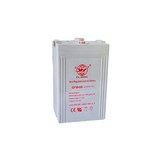
Hey there! As an audio battery supplier, I've seen my fair share of batteries in various states. One question I get asked a lot is how to clean an audio battery. Well, you're in luck because I'm gonna share all the tips and tricks I know to keep your audio batteries in top-notch condition.
First off, why is it important to clean your audio batteries? Over time, batteries can accumulate dirt, dust, and even corrosion. This build-up can interfere with the battery's performance, causing issues like poor connection, reduced battery life, and in some cases, it can even damage your audio equipment. So, regular cleaning is a must to ensure your audio devices run smoothly.
Now, let's talk about the tools you'll need. You don't need anything fancy. Just grab a few basic items: a soft-bristled brush (like an old toothbrush), a clean cloth, some distilled water, and a small amount of baking soda. Avoid using tap water as it may contain minerals that could leave residue on the battery.
Before you start cleaning, always make sure to turn off your audio device and remove the battery. Safety first, right? You don't want any accidental electrical shocks or short circuits. Once the battery is out, take a good look at it. If you see any visible signs of corrosion, that's usually a white, powdery substance, you'll need to pay extra attention to those areas.
Let's start with the dry cleaning process. Take your soft-bristled brush and gently brush away any loose dirt or dust from the battery. Pay close attention to the terminals, which are the metal parts where the battery connects to the device. These are the areas that are most likely to collect debris. Be careful not to apply too much pressure as you could damage the terminals.
After you've removed the loose dirt, it's time to deal with any corrosion. Mix a small amount of baking soda with distilled water to make a paste. The baking soda is great for neutralizing the acid in the corrosion. Dip your brush into the paste and gently scrub the corroded areas. You'll notice the paste starting to fizz as it reacts with the corrosion. Keep scrubbing until the corrosion is gone. If the corrosion is really stubborn, you may need to let the paste sit on the affected areas for a few minutes before scrubbing.
Once you've removed the corrosion, rinse the battery with distilled water to remove any remaining baking soda paste. Make sure to dry the battery thoroughly with a clean cloth. You don't want any moisture left on the battery as it could lead to further corrosion.


Now, let's talk about the terminals. The terminals are crucial for a good electrical connection. If they're dirty or corroded, your audio device may not work properly. After you've cleaned the battery, take a look at the terminals. If they're still a bit dirty, you can use a small amount of rubbing alcohol on a clean cloth to gently clean them. Rubbing alcohol evaporates quickly and won't leave any residue.
Once the battery is completely dry, you can put it back into your audio device. Make sure it's inserted correctly, following the polarity markings (usually indicated by a plus and minus sign). Turn on your device and see if it's working better. You should notice an improvement in the performance if the battery was indeed dirty or corroded.
Regular maintenance is key to keeping your audio batteries in good condition. I recommend cleaning your batteries at least once every few months, depending on how often you use your audio devices. If you use them frequently or in a dusty environment, you may need to clean them more often.
Now, I also want to mention that we offer a wide range of audio batteries, as well as other types of batteries like Emergency Lighting Battery, Electric Curtain Battery, and Electric Mower Battery. Our batteries are high-quality and designed to last. If you're in the market for new batteries or have any questions about battery maintenance, don't hesitate to reach out. We're here to help you get the most out of your audio devices.
In conclusion, cleaning your audio batteries is a simple process that can make a big difference in the performance of your audio devices. By following these steps and doing regular maintenance, you can extend the life of your batteries and ensure your audio equipment sounds great. So, go ahead and give your batteries a little TLC. Your ears will thank you!
If you're interested in purchasing our batteries or have any questions, feel free to contact us. We're always happy to assist you with your battery needs.
References
- Battery maintenance guides from industry experts
- Personal experience as an audio battery supplier