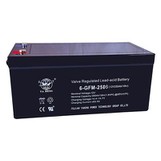
Hey there, 3D printing enthusiasts! I'm from a UPS Power Station supplier, and I know how crucial it is to keep your 3D printer running smoothly. Using a UPS Power Station with your 3D printer can be a game - changer, but there are a few things you need to consider. Let's dive right in!
Power Requirements
First off, you've got to figure out the power needs of your 3D printer. Different printers have different power consumption levels. Some smaller, consumer - grade 3D printers might use around 100 - 200 watts, while larger, industrial - grade ones can gobble up 500 watts or more. You can usually find this information in the printer's user manual.
Once you know the power consumption, you need to match it with a UPS Power Station that can handle the load. If your 3D printer uses 200 watts continuously, you'll want a UPS that can supply at least that much power. It's also a good idea to get a UPS with a bit of a buffer, say 20 - 30% more capacity. This way, you're covered in case the printer has a power spike during operation. For more info on power solutions, you can check out our UPS Power Station.
Runtime
Runtime is another biggie. How long do you need your 3D printer to keep running in case of a power outage? If you're working on a small print that only takes an hour or two, you might not need a super - long runtime. But if you're printing something large and complex that could take 10, 20, or even 30 hours, you'll need a UPS with a decent battery capacity.
To calculate the runtime, you can use the power consumption of your printer and the battery capacity of the UPS. For example, if your printer uses 200 watts and your UPS has a battery capacity of 1000 watt - hours, you can expect a runtime of about 5 hours (1000 watt - hours divided by 200 watts). Keep in mind that this is a rough estimate, and actual runtime can be affected by factors like the age of the battery and the efficiency of the UPS.
Compatibility
Not all UPS Power Stations are created equal, and not all of them will work well with your 3D printer. Some printers have specific power requirements, like a stable voltage or a certain type of power output. Make sure the UPS you choose can provide the right kind of power for your printer.
For instance, some 3D printers need a pure sine wave output to operate correctly. A pure sine wave mimics the smooth, consistent power you get from the grid. If you use a UPS with a modified sine wave output, it could cause problems like overheating or inaccurate prints. So, check the specifications of both your printer and the UPS to ensure compatibility.
Charging Time
You also need to think about how long it takes to charge the UPS Power Station. If you use your 3D printer frequently and there's a high chance of power outages, you'll want a UPS that can recharge quickly. Some UPS models can be fully charged in a few hours, while others might take a full day or more.
A shorter charging time means you'll have less downtime between power outages. You can get back to your 3D printing projects faster, which is great if you're on a tight schedule or working on a time - sensitive project.
Portability
If you need to move your 3D printer and UPS around, portability is a key consideration. Some UPS Power Stations are quite heavy and bulky, while others are more lightweight and easy to carry. If you're using your printer in different locations, like at a makerspace or a trade show, you'll want a UPS that you can easily transport.
Our Camping Power Battery is a great option if you're looking for a portable power solution. It's designed to be lightweight and easy to carry, making it perfect for on - the - go 3D printing.
Noise Level
Let's face it, nobody wants a noisy UPS interrupting their 3D printing experience. Some UPS models can be quite loud, especially when they're under heavy load. If you're using your printer in a quiet environment, like a home office or a library, you'll want to choose a UPS with a low noise level.
Look for UPS models that are specifically designed to be quiet. They usually have better cooling systems and more efficient components, which helps reduce the noise.
Monitoring and Control
Having the ability to monitor and control your UPS Power Station is really useful. Some UPS models come with built - in monitoring systems that let you check the battery level, power output, and other important information. You can also use these systems to set up alerts, so you'll know if there's a problem with the UPS or if the battery is running low.


Some advanced UPS models can even be controlled remotely via a smartphone app. This means you can keep an eye on your UPS and your 3D printer from anywhere, which is super convenient.
Cost
Last but not least, cost is always a factor. UPS Power Stations can vary widely in price, depending on their features, capacity, and brand. You'll need to balance your budget with your needs. Don't just go for the cheapest option, as it might not meet all your requirements. On the other hand, you don't need to break the bank either.
Do some research and compare different models to find the best value for your money. Remember, investing in a good quality UPS can save you a lot of headaches in the long run, especially if it prevents your 3D prints from getting ruined due to a power outage.
Conclusion
Using a UPS Power Station with your 3D printer can provide peace of mind and ensure that your projects keep running smoothly, even when there's a power outage. By considering factors like power requirements, runtime, compatibility, charging time, portability, noise level, monitoring and control, and cost, you can choose the right UPS for your needs.
If you're interested in purchasing a UPS Power Station for your 3D printer, feel free to reach out to us. We're here to help you find the perfect solution for your 3D printing setup. Whether you're a hobbyist or a professional, we've got the right power products for you. And if you're looking for other power solutions, like RV Power, we've got you covered too.
References
- Manufacturer's manuals for 3D printers and UPS Power Stations
- Industry articles on power management for 3D printing
- User reviews and forums on 3D printing and UPS usage