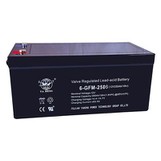
Optimizing the use of an audio battery in your audio system is crucial for ensuring consistent performance, longevity, and cost - effectiveness. As an Audio Battery supplier, I have witnessed firsthand the challenges and opportunities associated with battery usage in audio setups. In this blog, I will share some practical tips and strategies to help you get the most out of your audio battery.
Understanding Your Audio Battery
Before delving into optimization techniques, it's essential to understand the type of audio battery you have. There are different chemistries available, such as lead - acid, lithium - ion, and nickel - metal hydride (NiMH). Each chemistry has its own characteristics in terms of energy density, charging time, lifespan, and cost.
Lead - acid batteries are commonly used in larger audio systems due to their relatively low cost and high surge current capabilities. However, they are heavy, have a lower energy density, and require regular maintenance, such as topping up with distilled water. Lithium - ion batteries, on the other hand, are lightweight, have a high energy density, and a longer lifespan. They also charge faster and have a lower self - discharge rate. NiMH batteries offer a balance between lead - acid and lithium - ion, with a decent energy density and a relatively long lifespan.
By knowing the type of battery you have, you can better tailor your optimization strategies. For more information about the specific audio batteries we offer, you can visit our Audio Battery page.
Proper Charging Practices
One of the most critical aspects of optimizing battery use is proper charging. Overcharging or undercharging can significantly reduce the battery's lifespan and performance.
- Use the Right Charger: Always use a charger specifically designed for your audio battery. Different battery chemistries require different charging voltages and currents. Using an incompatible charger can damage the battery and pose a safety risk.
- Avoid Overcharging: Overcharging can cause the battery to overheat, which can lead to a reduction in capacity and a shorter lifespan. Many modern chargers are equipped with overcharge protection, but it's still a good practice to monitor the charging process. Once the battery is fully charged, disconnect it from the charger.
- Don't Undercharge: Undercharging can also be detrimental to the battery. It can lead to the formation of sulfate crystals on the battery plates, which can reduce the battery's capacity over time. Try to charge the battery to its full capacity whenever possible.
Temperature Management
Temperature has a significant impact on battery performance and lifespan. Extreme temperatures, both hot and cold, can reduce the battery's capacity and accelerate its degradation.
- Avoid High Temperatures: High temperatures can cause the battery to self - discharge more quickly and can also lead to chemical reactions that damage the battery's internal components. When using your audio system in a hot environment, try to keep the battery in a shaded area or use a cooling system if necessary.
- Protect from Cold: Cold temperatures can reduce the battery's capacity and make it more difficult for the battery to deliver power. If you need to use your audio system in a cold environment, consider using a battery heater or insulating the battery to keep it warm.
Load Management
The load placed on the audio battery can also affect its performance and lifespan. A heavy load can cause the battery to discharge more quickly and can also put stress on the battery's internal components.


- Match the Battery to the Load: Make sure your audio battery is capable of handling the power requirements of your audio system. If you have a high - power audio system, you may need a larger or more powerful battery.
- Reduce Unnecessary Loads: Turn off any unnecessary components in your audio system when not in use. This can help reduce the load on the battery and extend its runtime.
Regular Maintenance
Regular maintenance is essential for ensuring the optimal performance and lifespan of your audio battery.
- Inspect the Battery: Regularly check the battery for any signs of damage, such as cracks, leaks, or corrosion. If you notice any damage, replace the battery immediately.
- Clean the Battery Terminals: Corrosion on the battery terminals can increase the resistance and reduce the efficiency of the battery. Use a wire brush or a battery terminal cleaner to remove any corrosion from the terminals.
Storage Considerations
If you need to store your audio battery for an extended period, proper storage is crucial to prevent self - discharge and damage.
- Charge the Battery: Before storing the battery, charge it to about 50% - 80% of its capacity. This can help prevent the battery from over - discharging during storage.
- Store in a Cool, Dry Place: Store the battery in a cool, dry place away from direct sunlight and heat sources. A temperature between 20°C - 25°C is ideal for battery storage.
Backup and Redundancy
In some cases, it may be beneficial to have a backup battery or a redundant power system in place. This can ensure that your audio system continues to operate in the event of a battery failure or a power outage.
- Backup Battery: Keep a fully charged backup battery on hand. This can be useful in case your primary battery fails or needs to be replaced.
- Redundant Power System: Consider using an Off - line Power System or a similar redundant power solution. This can provide an additional layer of protection and ensure uninterrupted power to your audio system.
Application - Specific Considerations
Depending on the specific application of your audio system, there may be additional optimization strategies to consider.
- Portable Audio Systems: For portable audio systems, weight and size are often important considerations. You may want to choose a lightweight and compact battery to make the system more portable. Additionally, consider using a power - saving mode on your audio device to extend the battery life.
- Security Audio Systems: In security audio systems, reliability is of utmost importance. You may want to use a Security Lamp Battery that is designed for long - term standby use and can provide reliable power in case of an emergency.
Monitoring and Testing
Regular monitoring and testing of your audio battery can help you detect any potential issues early and take corrective action.
- Use a Battery Monitor: A battery monitor can provide real - time information about the battery's voltage, current, and state of charge. This can help you determine when the battery needs to be charged or replaced.
- Perform Regular Battery Tests: Periodically test the battery's capacity and performance using a battery tester. This can help you identify any degradation in the battery's performance and take appropriate action.
Conclusion
Optimizing the use of an audio battery in your audio system requires a combination of proper charging practices, temperature management, load management, regular maintenance, and monitoring. By following these tips and strategies, you can ensure that your audio battery performs at its best and has a long lifespan.
If you have any questions about optimizing your audio battery or are interested in purchasing high - quality audio batteries, please feel free to reach out to us. We are always here to help you find the best solutions for your audio system.
References
- Linden, D., & Reddy, T. B. (2002). Handbook of Batteries (3rd ed.). McGraw - Hill.
- Pistoia, G. (2010). Lithium - Ion Batteries: Advances and Applications. Elsevier.
- US Department of Energy. (n.d.). Battery Basics. Retrieved from the official website of the US Department of Energy.