

Hey there! As a supplier of UPS Power Stations, I've seen firsthand how crucial it is to keep security systems up and running around the clock. In this blog, I'll share some tips on how to ensure the continuous operation of a security system with a UPS Power Station.
Why a UPS Power Station is Essential for Security Systems
Security systems are the backbone of any business or home security setup. They include cameras, alarms, access control systems, and more. These systems need to be operational 24/7 to provide reliable protection. However, power outages can happen at any time, and even a short interruption can compromise the security of a premises.
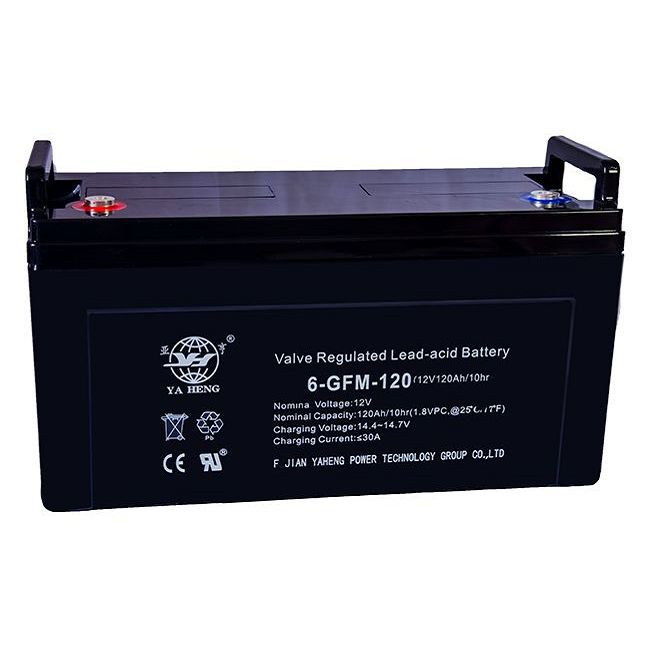

That's where a UPS (Uninterruptible Power Supply) Power Station comes in. A UPS Power Station acts as a backup power source, providing electricity to the security system when the main power fails. This ensures that the security system continues to function without any disruption, giving you peace of mind knowing that your property is still protected.
Choosing the Right UPS Power Station
The first step in ensuring the continuous operation of a security system is to choose the right UPS Power Station. There are several factors to consider when making this decision:
- Power Capacity: The power capacity of the UPS Power Station should be sufficient to support the total power requirements of the security system. You need to calculate the power consumption of all the devices in the security system, including cameras, monitors, alarms, and access control systems. Make sure to choose a UPS Power Station with a capacity that can handle the load.
- Runtime: The runtime of the UPS Power Station refers to the amount of time it can provide power to the security system during a power outage. Consider how long you need the security system to remain operational in case of a power failure. If you live in an area with frequent power outages or long restoration times, you may want to choose a UPS Power Station with a longer runtime.
- Battery Type: Different types of batteries are used in UPS Power Stations, such as lead-acid batteries and lithium-ion batteries. Lithium-ion batteries are generally more expensive but offer longer lifespans, faster charging times, and higher energy density. Consider your budget and specific requirements when choosing the battery type.
- Features: Look for a UPS Power Station with features that are important for your security system. Some features to consider include surge protection, automatic voltage regulation (AVR), and remote monitoring capabilities. These features can help protect your security system from power surges and other electrical problems.
Installation and Maintenance
Once you've chosen the right UPS Power Station, it's important to install and maintain it properly to ensure its optimal performance. Here are some tips:
- Proper Installation: Follow the manufacturer's instructions carefully when installing the UPS Power Station. Make sure it is installed in a well-ventilated area away from heat sources and flammable materials. Connect the UPS Power Station to the security system using the appropriate cables and connectors.
- Regular Maintenance: Perform regular maintenance on the UPS Power Station to keep it in good working condition. This includes checking the battery status, cleaning the device, and testing the system periodically. Follow the manufacturer's recommended maintenance schedule.
- Battery Replacement: Over time, the batteries in the UPS Power Station will degrade and lose their capacity. It's important to replace the batteries at the recommended intervals to ensure that the UPS Power Station can continue to provide reliable backup power.
Integration with the Security System
To ensure seamless operation, the UPS Power Station should be integrated with the security system. Here's how:
- Power Management: Configure the UPS Power Station to manage the power supply to the security system effectively. This may include setting up automatic shutdown and restart procedures for the security system in case of a power outage.
- Monitoring and Alerts: Use the monitoring capabilities of the UPS Power Station to keep track of its status and performance. Set up alerts to notify you in case of any issues, such as low battery levels or power failures.
- Compatibility: Make sure the UPS Power Station is compatible with the security system. Check the specifications of both the UPS Power Station and the security system to ensure they can work together properly.
Additional Considerations
In addition to the above steps, there are some other things you can do to enhance the reliability of your security system with a UPS Power Station:
- Redundancy: Consider implementing a redundant UPS Power Station setup for critical security systems. This means having multiple UPS Power Stations connected to the security system to provide backup power in case one fails.
- Testing and Simulation: Regularly test the UPS Power Station and the security system together to ensure they are working properly. Conduct simulations of power outages to verify the system's response and performance.
- Training and Education: Provide training to the personnel responsible for the security system and the UPS Power Station. Make sure they understand how to operate and maintain the equipment properly.
Conclusion
Ensuring the continuous operation of a security system with a UPS Power Station is essential for protecting your property and assets. By choosing the right UPS Power Station, installing and maintaining it properly, integrating it with the security system, and considering additional factors, you can enhance the reliability and effectiveness of your security system.
If you're interested in learning more about our UPS Power Stations or have any questions about how to ensure the continuous operation of your security system, feel free to reach out to us. We're here to help you find the best solution for your needs.
We also offer a range of related products such as Camper Power Bank, Camper Power Station, and Camping Power Battery. These products can be useful for various applications, including outdoor security setups.
If you're looking to purchase a UPS Power Station or any of our other products, don't hesitate to contact us for a quote and to discuss your specific requirements. We're ready to assist you in making the right choice for your security needs.
References
- "UPS Power Supply Basics," Electrical Safety Foundation International.
- "How to Choose the Right UPS for Your Business," Small Business Trends.
- "Maintaining Your UPS System," APC by Schneider Electric.


