

When it comes to ensuring the uninterrupted operation of your critical equipment, a UPS Power Station is an invaluable asset. As a trusted UPS Power Station supplier, I understand the importance of safety when using these devices. In this blog, I'll share essential safety precautions to help you use your UPS Power Station safely and effectively.
1. Installation Safety
-
Choose the Right Location
Select a well - ventilated area for installing the UPS Power Station. Proper ventilation is crucial as UPS units generate heat during operation. A lack of ventilation can cause the internal temperature of the UPS to rise, which may damage the components and reduce the battery life. Avoid placing the UPS in enclosed spaces, near heat sources such as radiators or direct sunlight. For more information about our high - quality UPS Power Station, you can visit our website. -
Stable Surface
Place the UPS on a stable and level surface. An unstable surface can cause the UPS to tip over, which not only poses a physical hazard but can also damage the internal components. Ensure that the surface can support the weight of the UPS, especially if it is a large - capacity unit.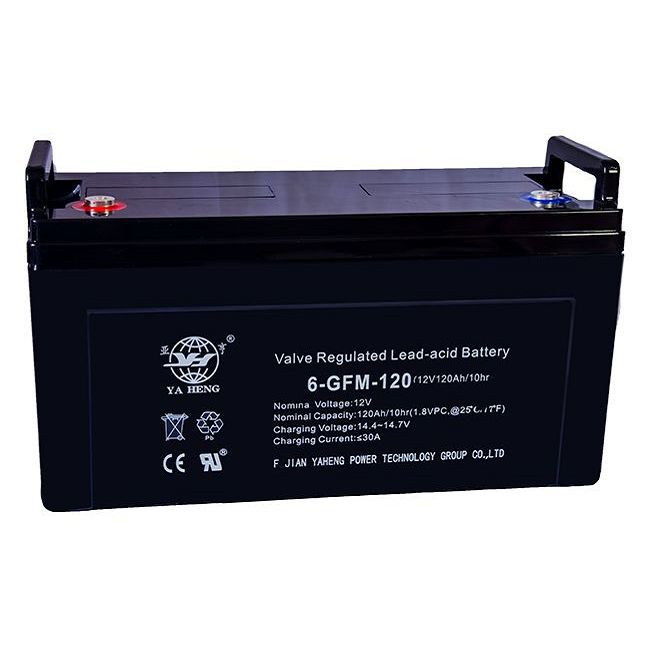

-
Electrical Connections
Use the appropriate power cords and cables provided by the manufacturer. Make sure the electrical connections are secure and free from any signs of damage. Incorrect or loose connections can lead to electrical arcing, overheating, and even electrical fires. Do not overload the UPS by connecting too many devices with a combined power consumption that exceeds the UPS's rated capacity.
2. Battery Safety
- Battery Handling
The battery is a critical component of a UPS Power Station. When handling the battery, wear appropriate protective gear such as gloves and safety glasses. Batteries contain chemicals that can be harmful if they come into contact with your skin or eyes. Avoid dropping or damaging the battery, as this can cause internal short - circuits and potentially lead to a fire or explosion. - Battery Maintenance
Regularly check the battery's condition. Look for signs of swelling, leakage, or corrosion. If you notice any of these issues, stop using the UPS immediately and contact a professional for battery replacement. Follow the manufacturer's recommended battery replacement schedule to ensure optimal performance and safety. - Battery Charging
Do not overcharge the battery. Most modern UPS systems are designed to prevent overcharging, but it's still important to monitor the charging process. Overcharging can cause the battery to overheat, reduce its lifespan, and pose a safety risk.
3. Operational Safety
- Read the Manual
Before using the UPS Power Station, thoroughly read the user manual provided by the manufacturer. The manual contains important information about the proper operation, safety precautions, and maintenance requirements of the UPS. It will also guide you on how to troubleshoot common issues. - Avoid Water Exposure
Keep the UPS away from water and moisture. Water can cause electrical short - circuits, damage the internal components, and pose an electrocution hazard. If the UPS gets wet, do not attempt to use it until it has been thoroughly dried and inspected by a professional. - Regular Inspections
Conduct regular inspections of the UPS Power Station. Check for any visible signs of damage, such as cracks in the casing, frayed wires, or loose parts. Listen for any unusual noises, such as buzzing or clicking, which may indicate a problem. If you notice any issues during the inspection, stop using the UPS and have it repaired by a qualified technician.
4. Emergency Safety
- Know the Emergency Shutdown Procedure
Familiarize yourself with the emergency shutdown procedure for the UPS Power Station. In case of an emergency, such as a fire or electrical fault, you should be able to quickly and safely shut down the UPS. This can help prevent further damage and ensure your safety. - Keep a Fire Extinguisher Nearby
Have a suitable fire extinguisher nearby in case of a fire. Make sure you know how to use the fire extinguisher properly. A fire involving a UPS can be caused by electrical faults or battery malfunctions, so it's important to be prepared. - Emergency Contact Information
Keep the contact information of the UPS manufacturer and a qualified technician handy. In case of any serious issues or emergencies, you can quickly reach out for professional assistance.
5. Compatibility and Loading Safety
- Device Compatibility
Ensure that the devices you connect to the UPS Power Station are compatible with its electrical specifications. Some sensitive electronic devices may require a pure sine - wave output from the UPS, while others can work with a modified sine - wave output. Using incompatible devices can lead to performance issues and may even damage the devices. - Load Management
Properly manage the load connected to the UPS. Do not connect more devices than the UPS can handle. Overloading the UPS can cause it to overheat, reduce its efficiency, and potentially fail. Use the load calculator provided by the manufacturer to determine the appropriate load for your UPS.
6. Environmental Safety
- Temperature and Humidity
The UPS Power Station should be operated within the recommended temperature and humidity range specified by the manufacturer. Extreme temperatures and high humidity can affect the performance and lifespan of the UPS. High temperatures can cause the battery to degrade faster, while high humidity can lead to condensation inside the UPS, which can damage the electrical components. - Dust and Debris
Keep the UPS clean and free from dust and debris. Dust can accumulate inside the UPS and block the ventilation openings, leading to overheating. Regularly use a soft, dry cloth to clean the exterior of the UPS, and use compressed air to clean the ventilation areas if necessary.
Conclusion
Using a UPS Power Station safely is of utmost importance to protect your equipment, your property, and yourself. By following these safety precautions, you can ensure the reliable and long - term operation of your UPS. As a UPS Power Station supplier, we are committed to providing you with high - quality products and the necessary support to keep your UPS running safely.
If you are interested in purchasing a UPS Power Station, or have any questions about our products, we welcome you to contact us for procurement discussions. Our team of experts will be happy to assist you in finding the right UPS solution for your needs.
References
- Manufacturer's user manuals for UPS Power Station
- Industry standards and guidelines for electrical safety
- Research papers on battery safety and UPS operation


